
Pandora “My Collection” UX Case Study
Context
Pandora is a well established music and podcast app with a focus on personalized radio stations. They have a loyal fanbase of listeners who use the app regularly to tap into their custom stations, listen to their favorite artists and who rely on the platform as the best place to discover new music & artists.
Pandora’s “My Collection” was intended to be the user’s personal library — a space to access saved songs, stations, albums, and even podcasts. But in practice, it was largely overlooked. Most listeners treated Pandora like a lean-back radio experience, unaware that they could save content at all.
Key features like podcasts and saved tracks were buried behind vague dropdowns and poorly labeled menus, resulting in low engagement and growing user confusion. With competitors like Spotify offering rich, personalized libraries front and center, Pandora was beginning to fall behind. Churn was rising, and internal metrics showed “My Collection” wasn’t pulling its weight.
The Challenge
Redesign “My Collection” to be intuitive, discoverable, and genuinely useful — without alienating users who still loved Pandora’s lean-back experience. The new experience needed to modernize the UI, improve feature clarity, and elevate the value of saved content — especially as Pandora expanded into podcasts and premium subscriptions.
The Process
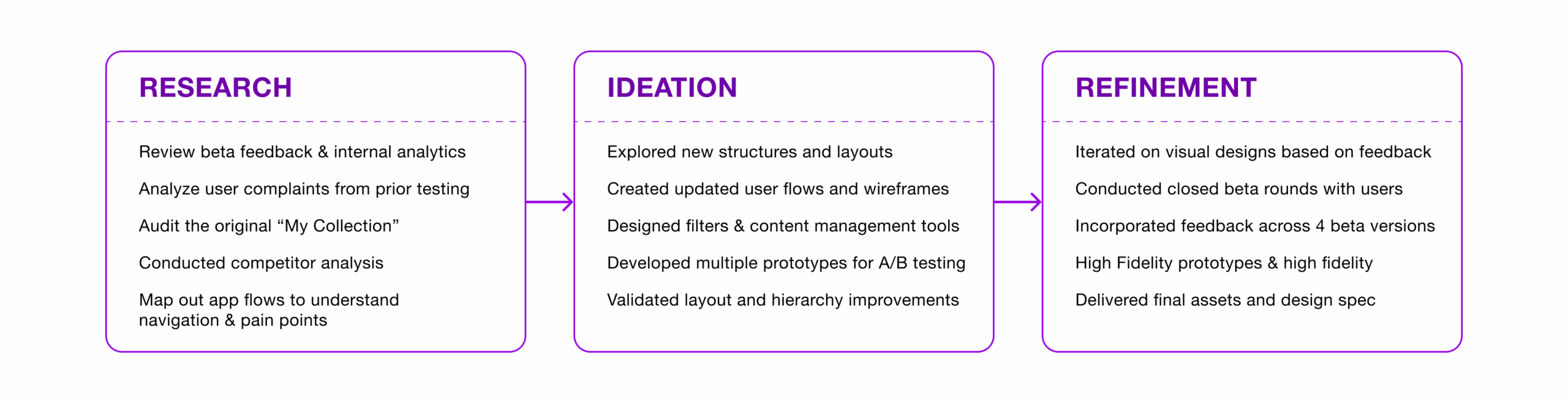
When I jumped on board this project, the prior “Version 1” iterations had already completed a few rounds of internal reviews but not much outside user testing. The internal folks had been asked to try using the product and then answer a regular survey where they could assign a score (rating) to each section of the beta design (ranging from 1-5). Our existing backlog of research and internal reviews served as my jumping off point for the project, but I felt it was important to take a step back to run through some valuable UX exercises to make sure our final deliverables would serve the needs of our users.
Existing Version Design Audit
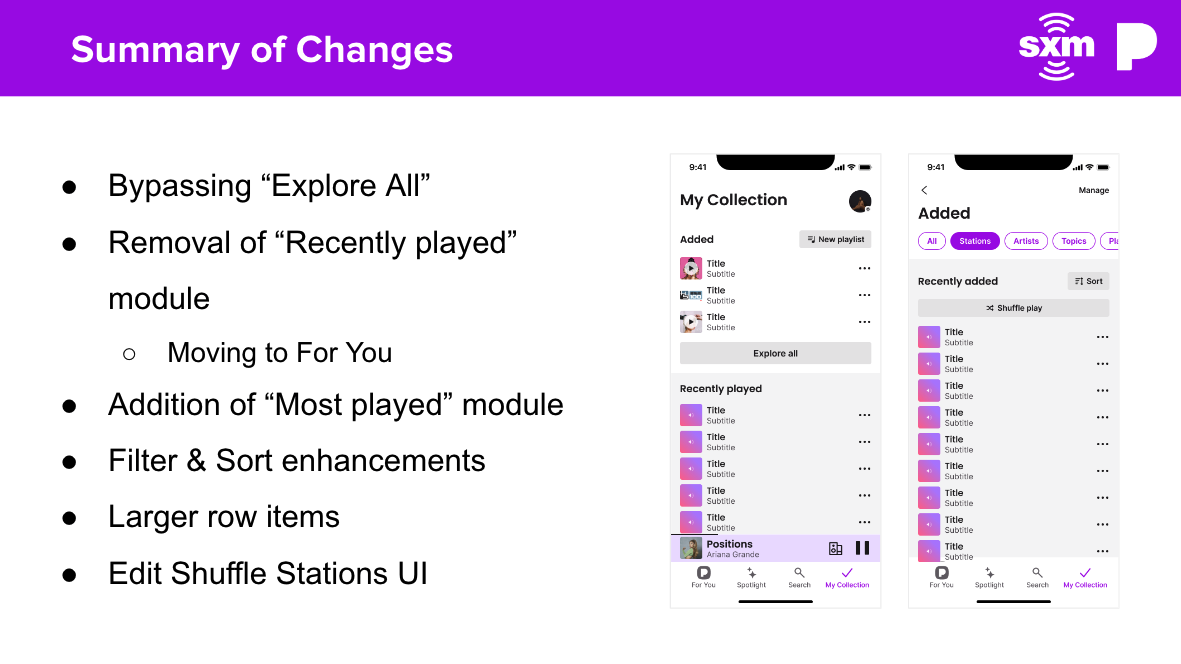
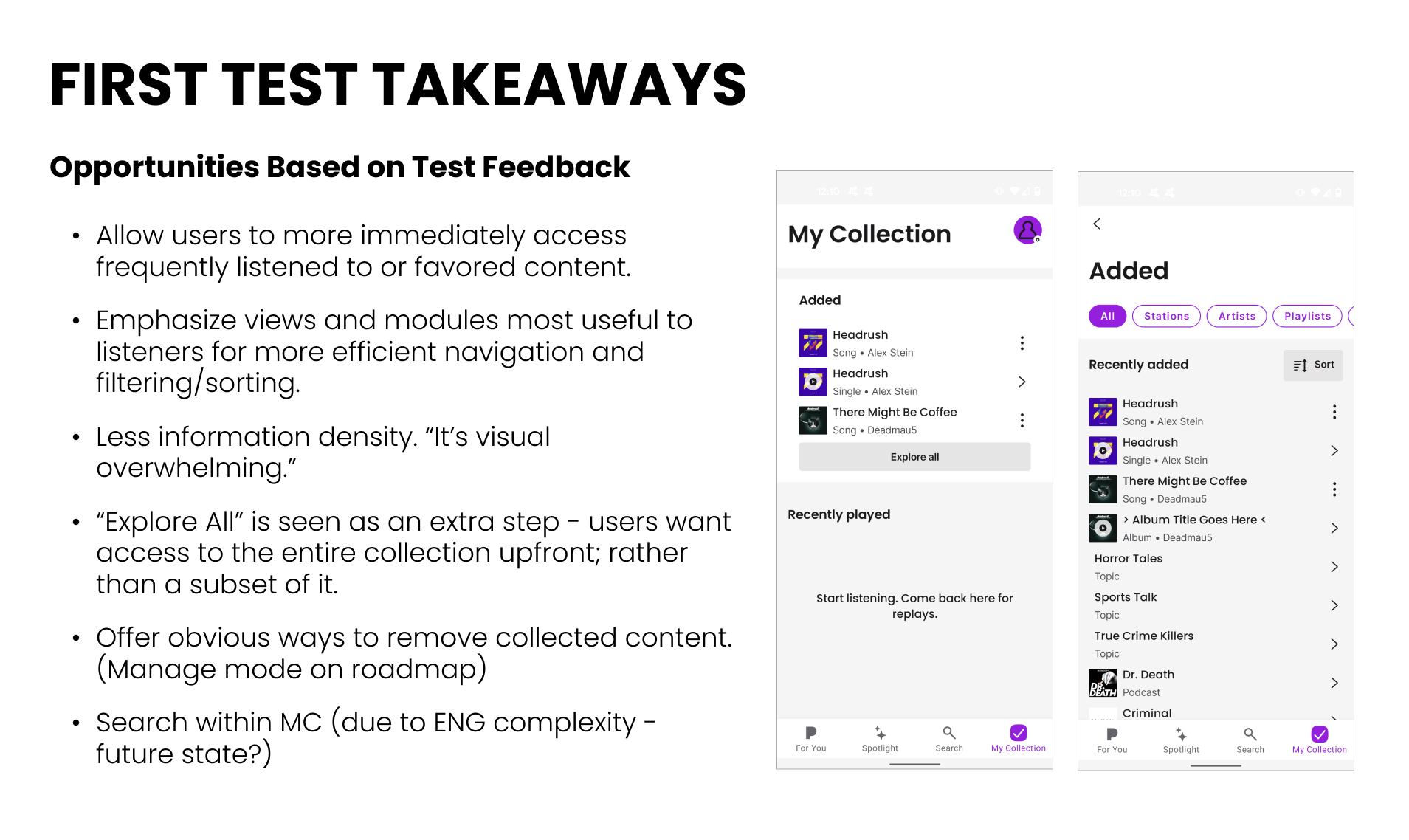
When I joined the project, I inherited an early beta version of “My Collection” that had gone through some internal reviews and some user testing, but it was not scoring well. The structure was split into two primary sections:
- A “Recently Added” row at the top, showing just 3 items with an “Explore All” button to view the full library.
- A “Recently Played” section underneath, intended to help users quickly resume listening.
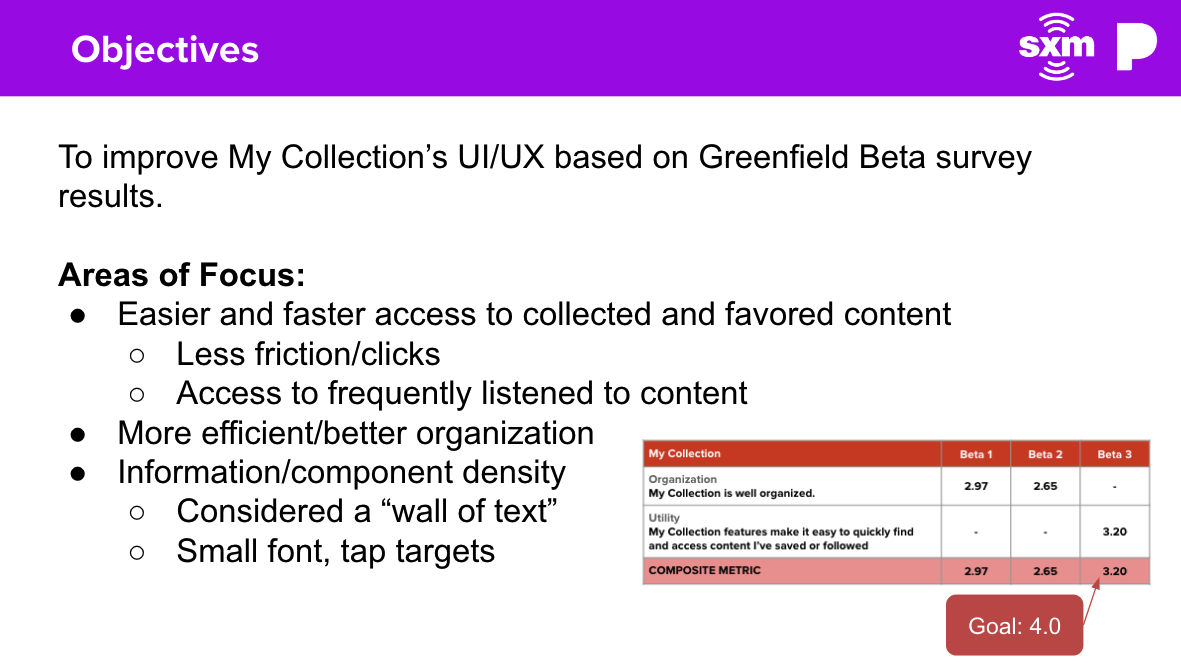
While functional, this design suffered from poor discoverability and unnecessary friction. Most testers rated it around 2.97 out of 5, citing a number of frustrations:
Key Pain Points:
- “Explore All” button buried access to the full library behind an extra tap.
- “Recently Added” felt too limited — showing only three pieces of content didn’t scale with users’ listening habits.
- The design felt uninspired and flat, lacking visual interest or affordances.
- Search was missing within the collection — a major gap for users with large libraries.
- Testers didn’t feel the update meaningfully improved their experience — some even preferred the previous version.
Internally, there was growing concern that “My Collection” wasn’t just underperforming — it was underused. Many users didn’t even realize they could build a library on Pandora. Even worse, the addition of podcasts had gone almost completely unnoticed due to how buried the feature was.
These findings signaled a clear need to revisit the core structure and purpose of “My Collection” — not just to modernize it, but to make it feel essential.
Groundwork & Ecosystem Alignment
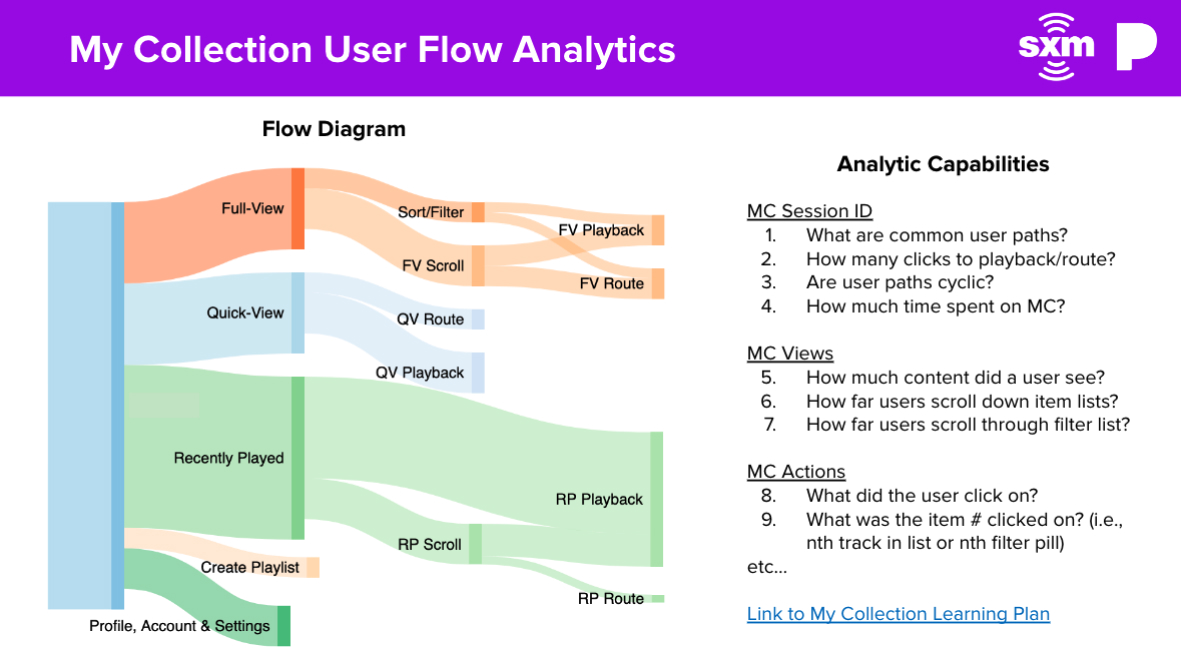
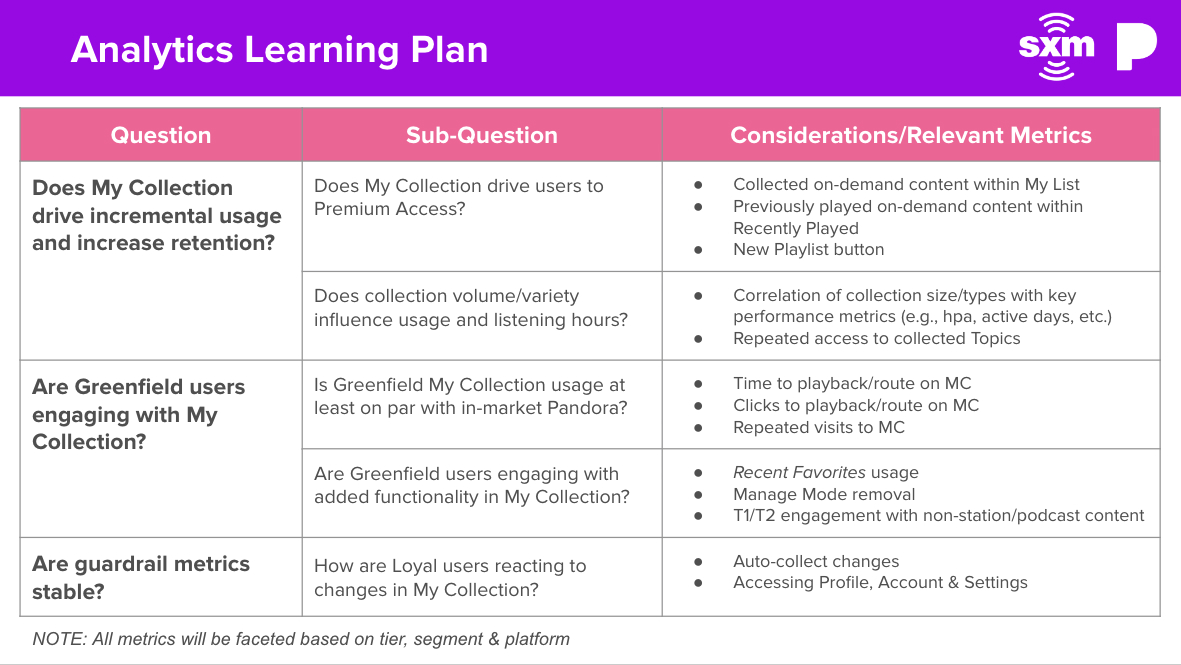
Before jumping into solutions, I took time to deeply understand the foundation I was stepping into. I reviewed the existing research, analytics, and user feedback from earlier rounds of testing to identify clear patterns and lingering uncertainties. Since I was inheriting a partially developed feature, I wanted to honor the groundwork already laid while looking critically at how to push things forward.
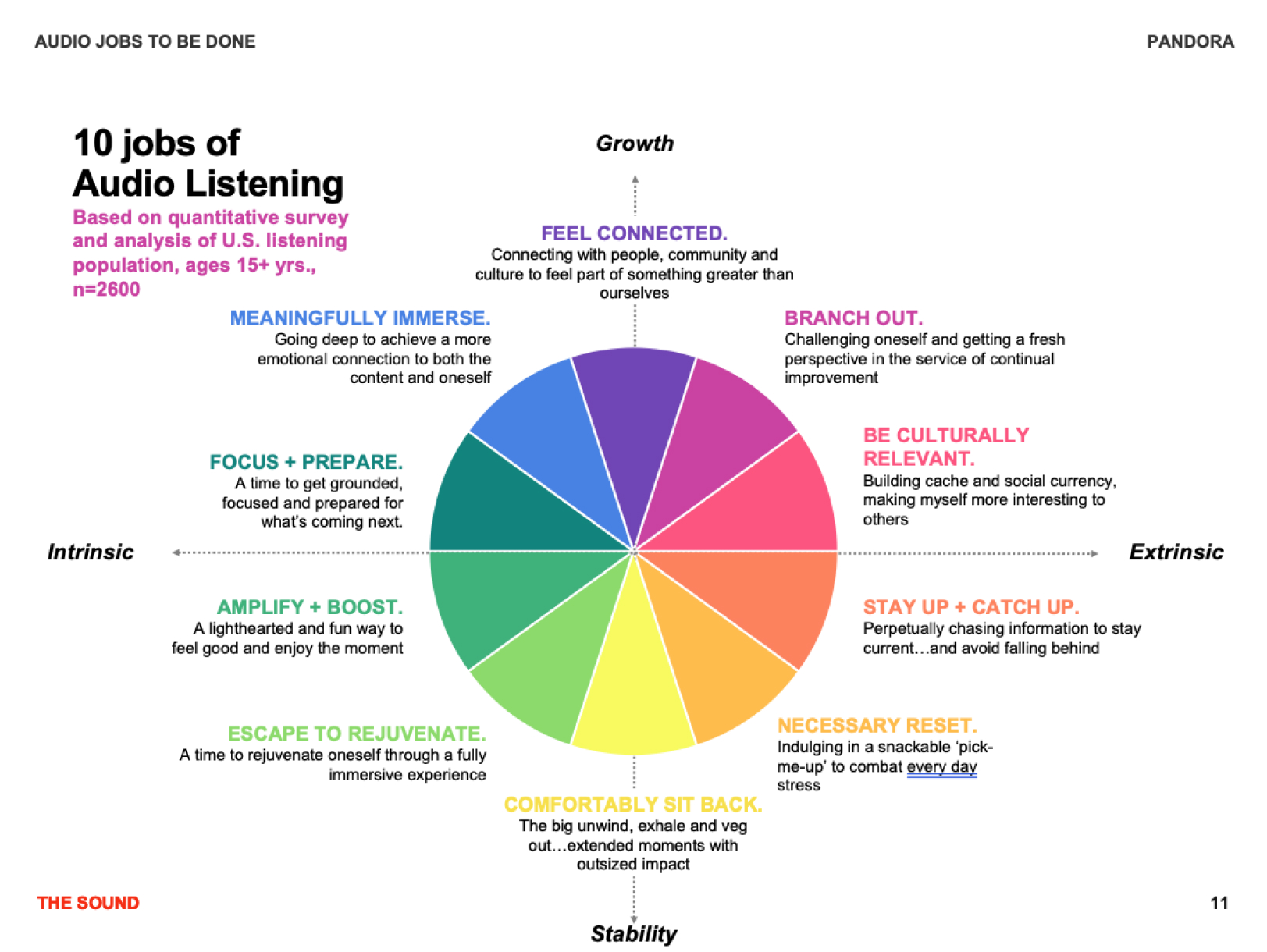
I also immersed myself in supporting documentation like Pandora’s internal Jobs to Be Done charts and collaborated closely with peers across the app — from designers working on playback and discovery, to PMs handling core features — to ensure my thinking was aligned with broader product goals. Even though “My Collection” was a distinct section, it needed to feel cohesive within the full user experience. Understanding the full ecosystem helped ground my decisions and made the final experience more intuitive and connected.
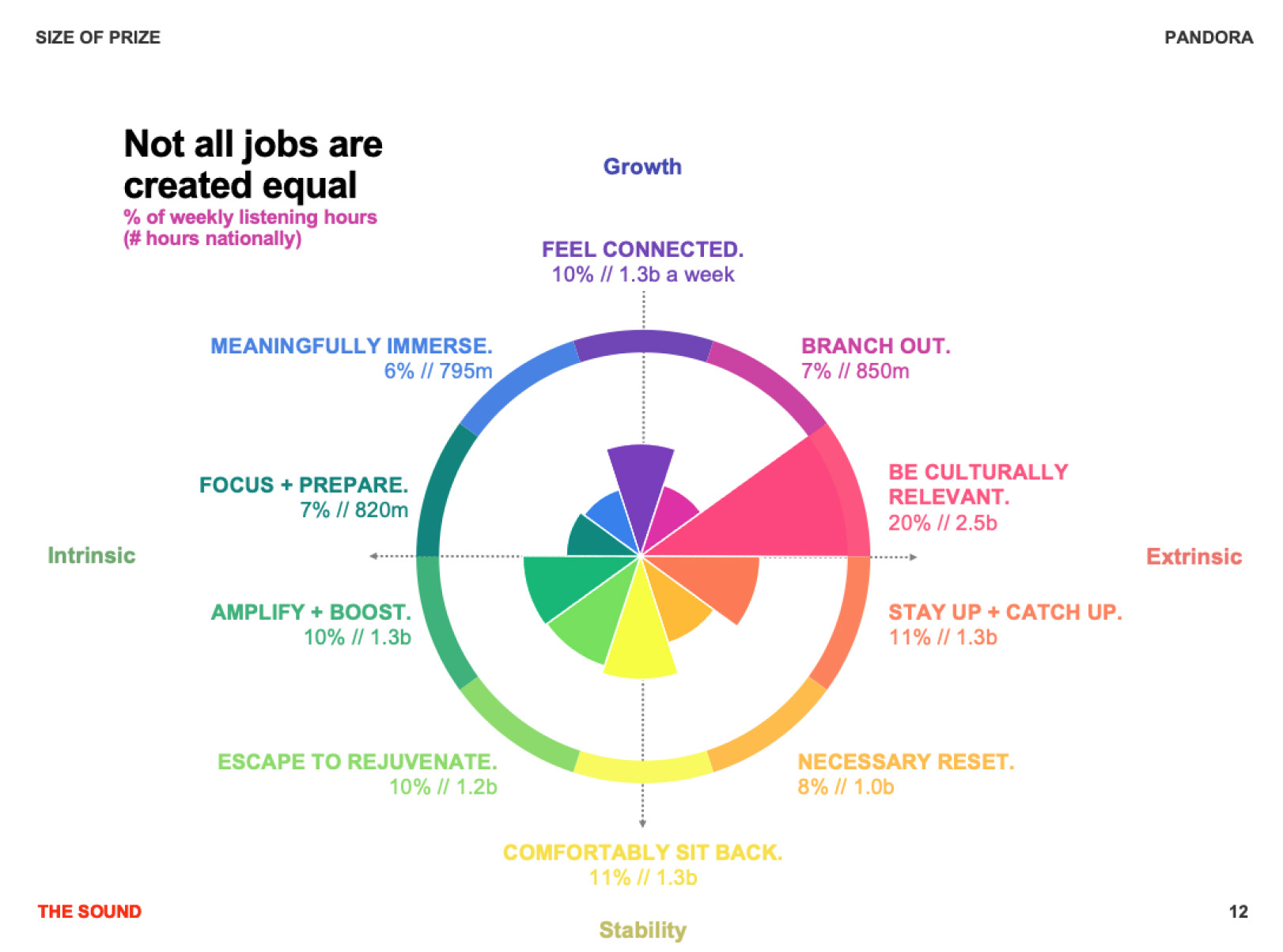
Competitor Analysis
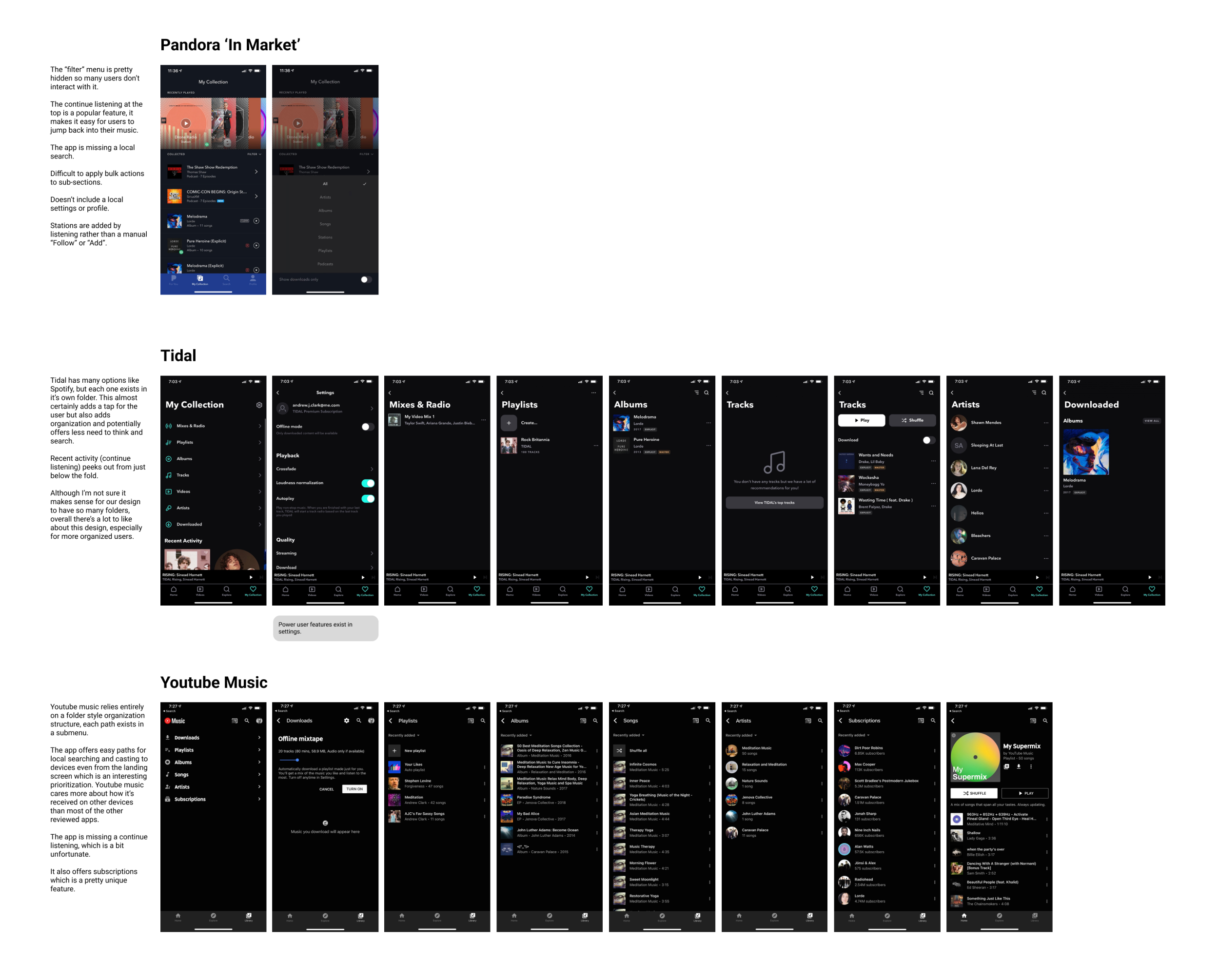
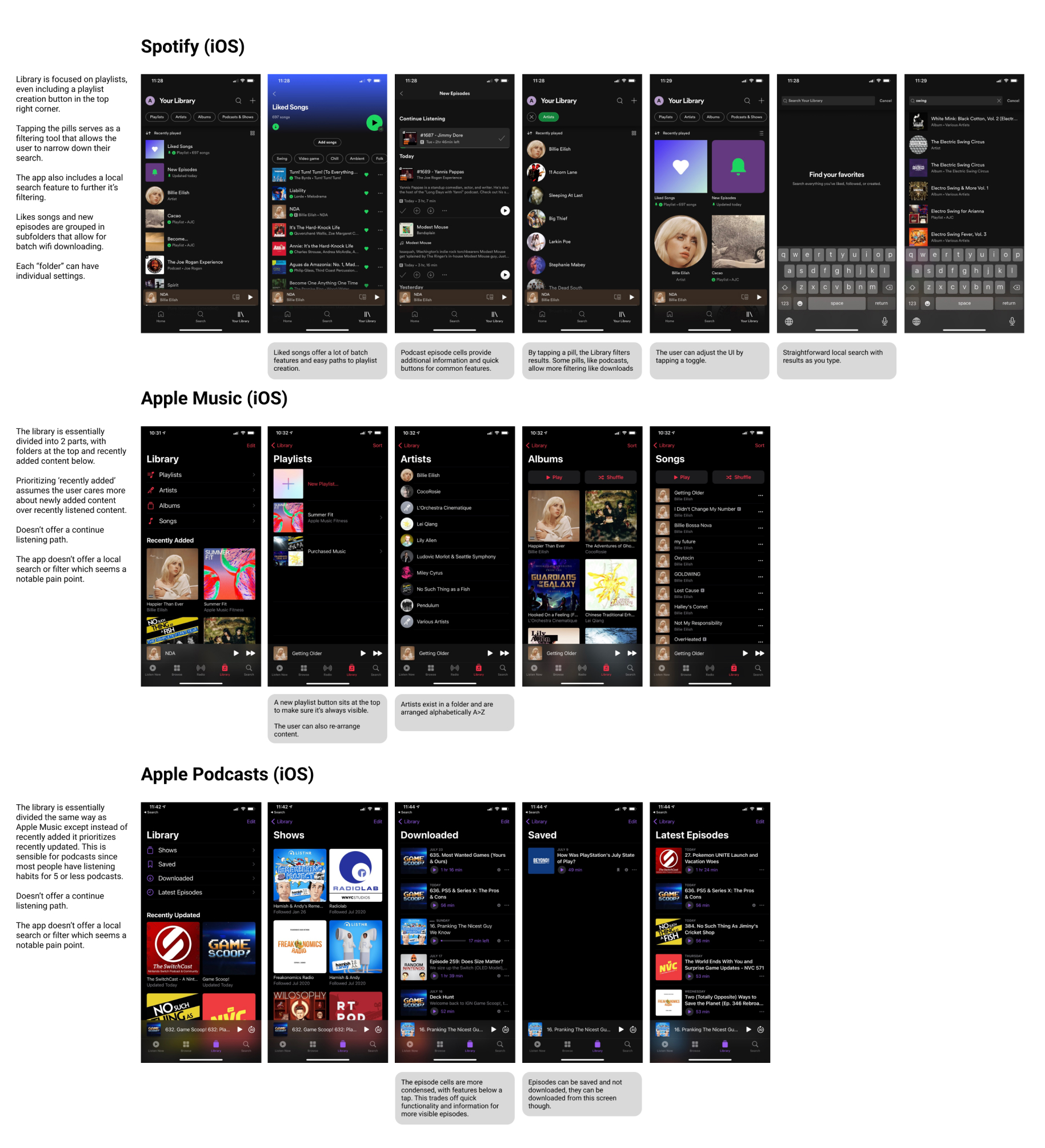
To better understand user expectations and opportunities for differentiation, I conducted a focused competitor analysis. I evaluated major players in the music and podcast app space, including Spotify, Apple Music, YouTube Music, Tidal, and Amazon Music. I also revisited Pandora’s own in-market experience to capture baseline comparisons.
Rather than just listing features, I studied how each app handled library structure, content discoverability, personalization, and visual hierarchy. I documented these findings in a shared matrix, noting strengths, friction points, and common UX patterns.
Key Takeaways:
- Content-first design was a common theme, with libraries emphasizing recency or favorites over alphabetical or format-based sorting.
- Competitors typically offered persistent search and filtering within libraries — something missing from Pandora’s structure.
- Podcasts were surfaced more intentionally in other apps, often given near-equal billing to music libraries, unlike Pandora where they were buried under nested menus.
- Visually, many competitors employed brighter, more engaging UI and better leveraged user artwork to create a more personalized feel.
This analysis helped us reframe what users expect from a modern music and podcast library, and where Pandora had an opportunity to catch up — or leap ahead — in discoverability and delight.
Samples screens from competitor analysis
App Flows
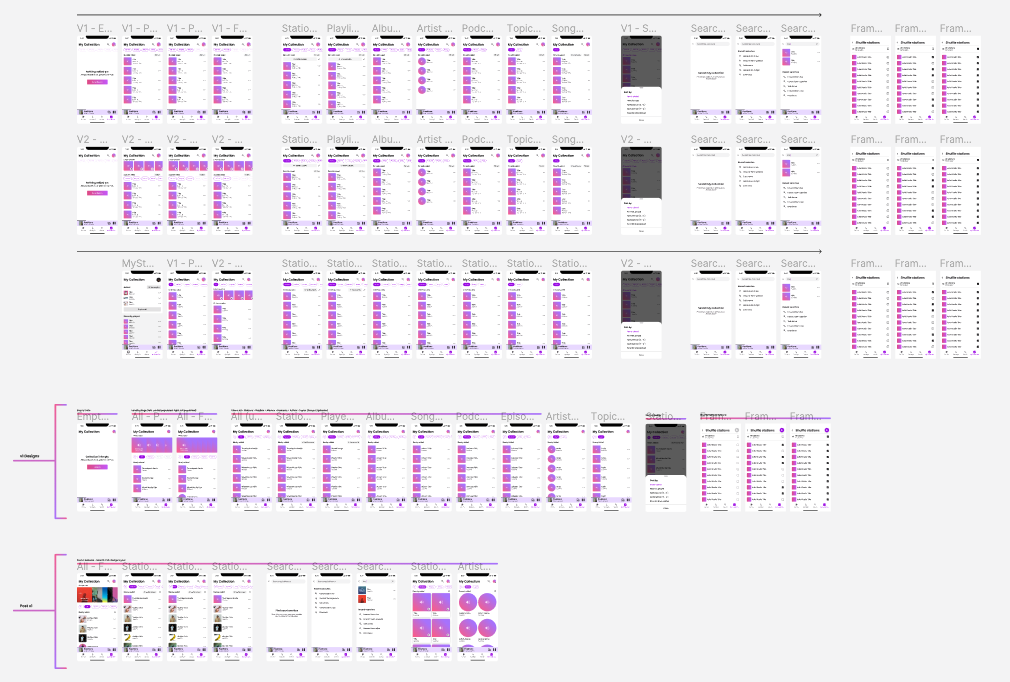
As a next step, I created and compiled a set of app flows to better understand how “My Collection” fit into both the existing product ecosystem and potential redesign directions. This exercise helped me visualize the user journey at a macro level — not just for the redesigned section, but for how users might move between listening, searching, and managing their saved content.
I started by mapping out:
- The current in-market flow, to identify pain points, drop-offs, and moments of friction.
- The premium experience, which had subtle differences in access and layout.
- A proposed redesign flow, which incorporated learnings from research and aimed to reduce unnecessary steps while surfacing overlooked content like podcasts.
This served multiple purposes:
- As a collaboration tool, they helped align the design team, product managers, and engineers around the user’s path.
- As a validation tool, they gave us a bird’s-eye view of potential problem areas, allowing us to anticipate and solve for them early.
- And as a roadmapping aid, they helped prioritize key screens, edge cases, and interactions that needed prototyping and testing.
Mapping the full journey also helped surface inconsistencies across the app and inspired early ideas around simplifying the IA and improving transitions between features.
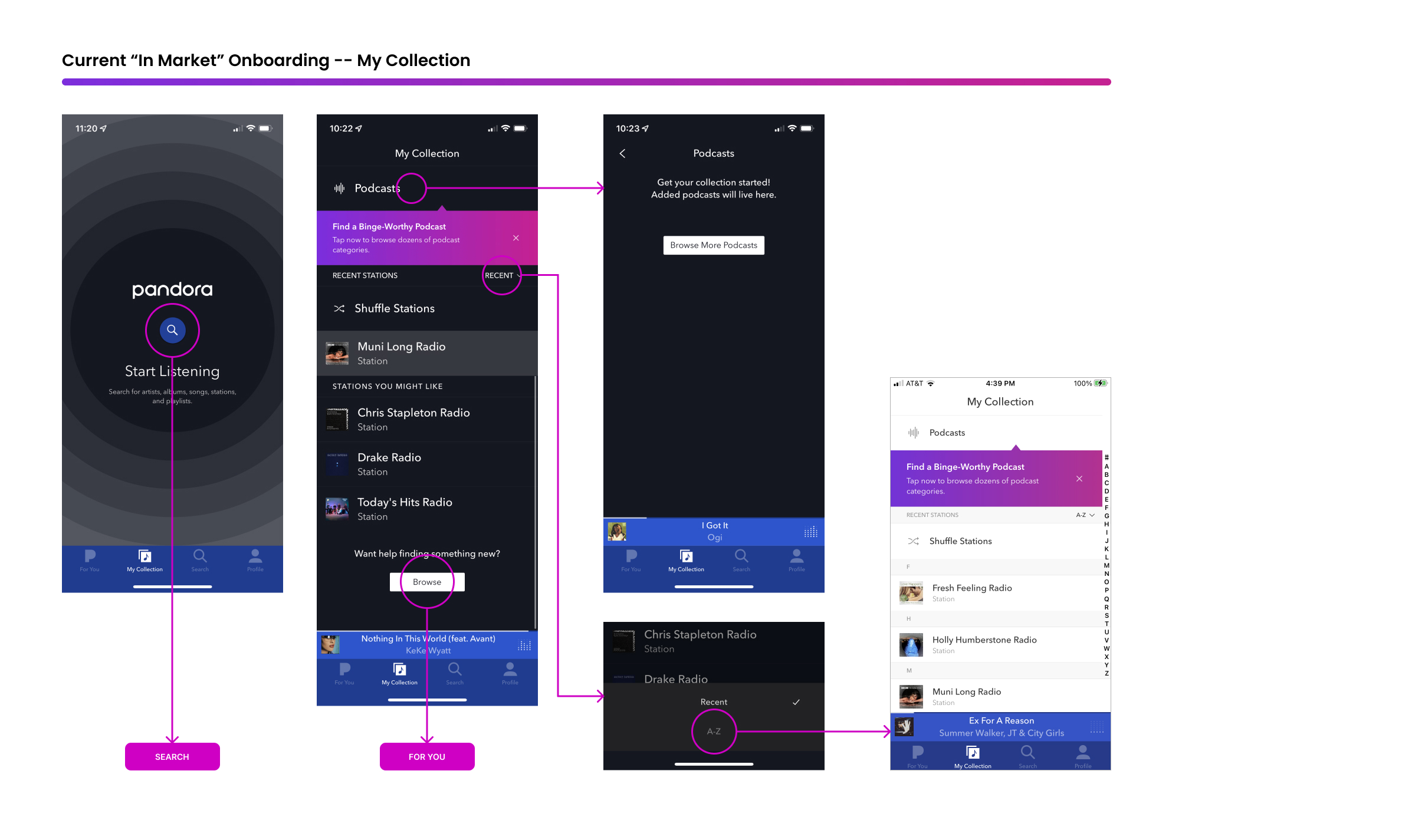
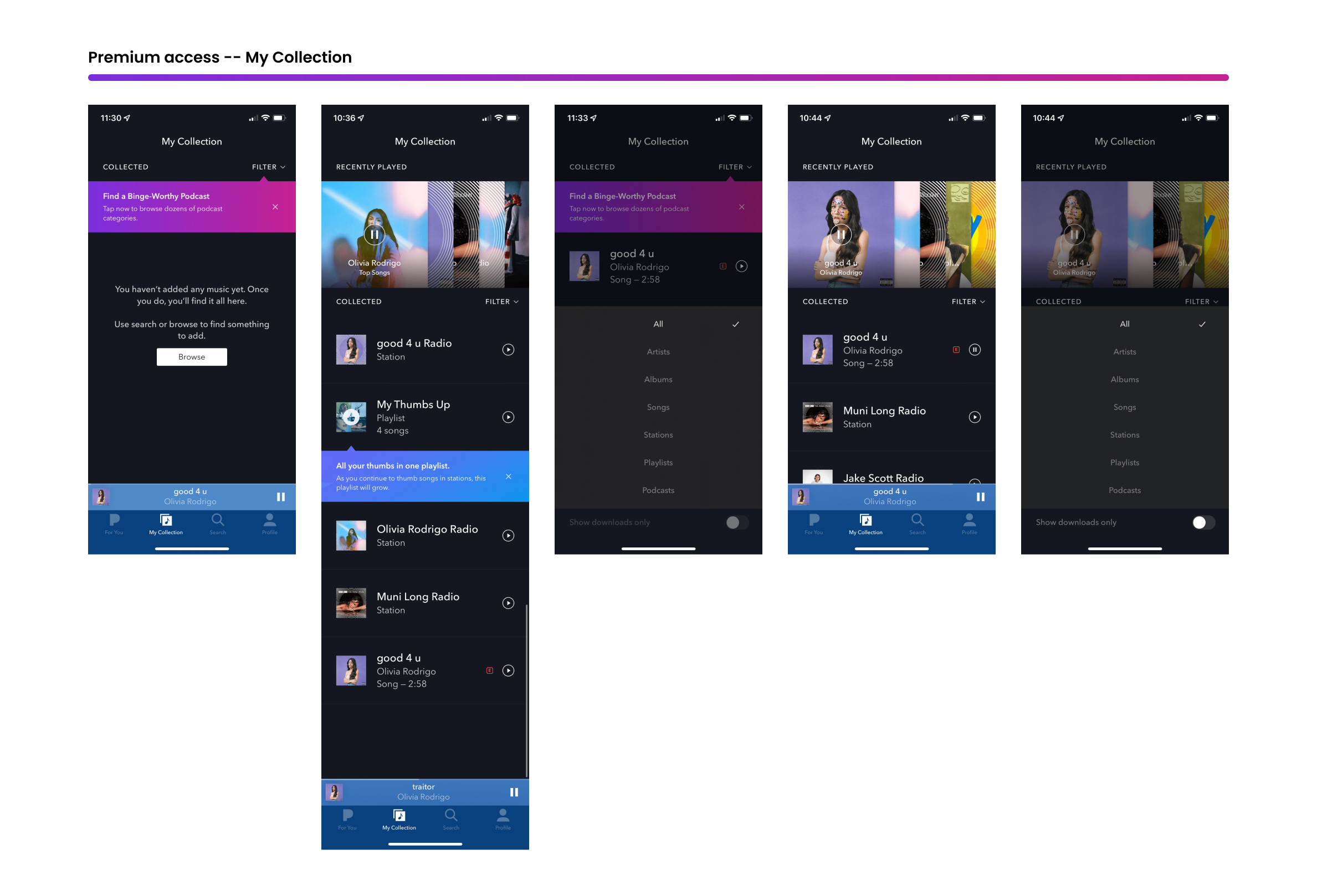
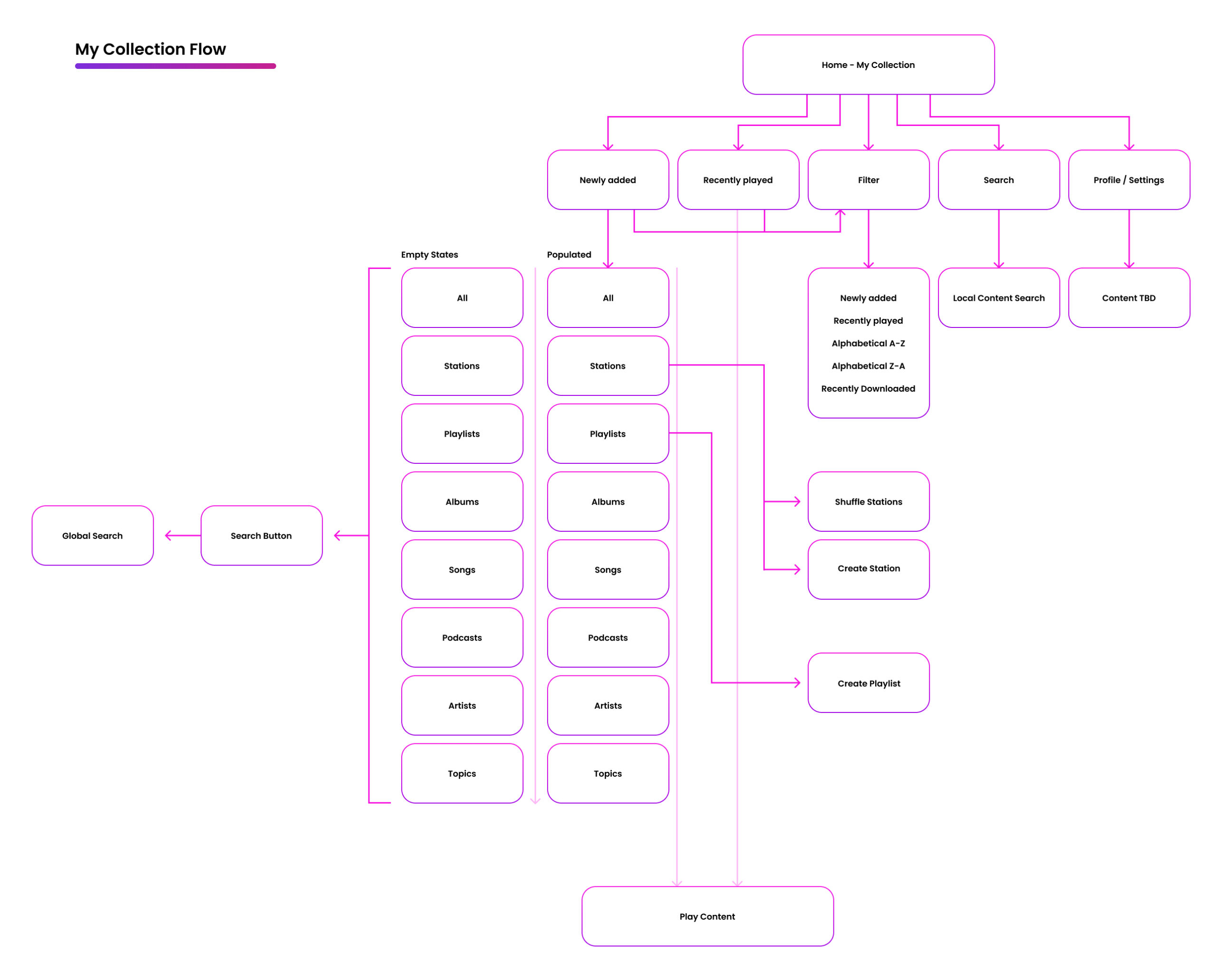
These app flows help me get a bird’e eye view of how the product fits together and serve as a great reference for teammates that don’t have time to familiarize themselves with the complete product flow & design. They can also be valuable tools for mapping user pain points as they come up during testing.
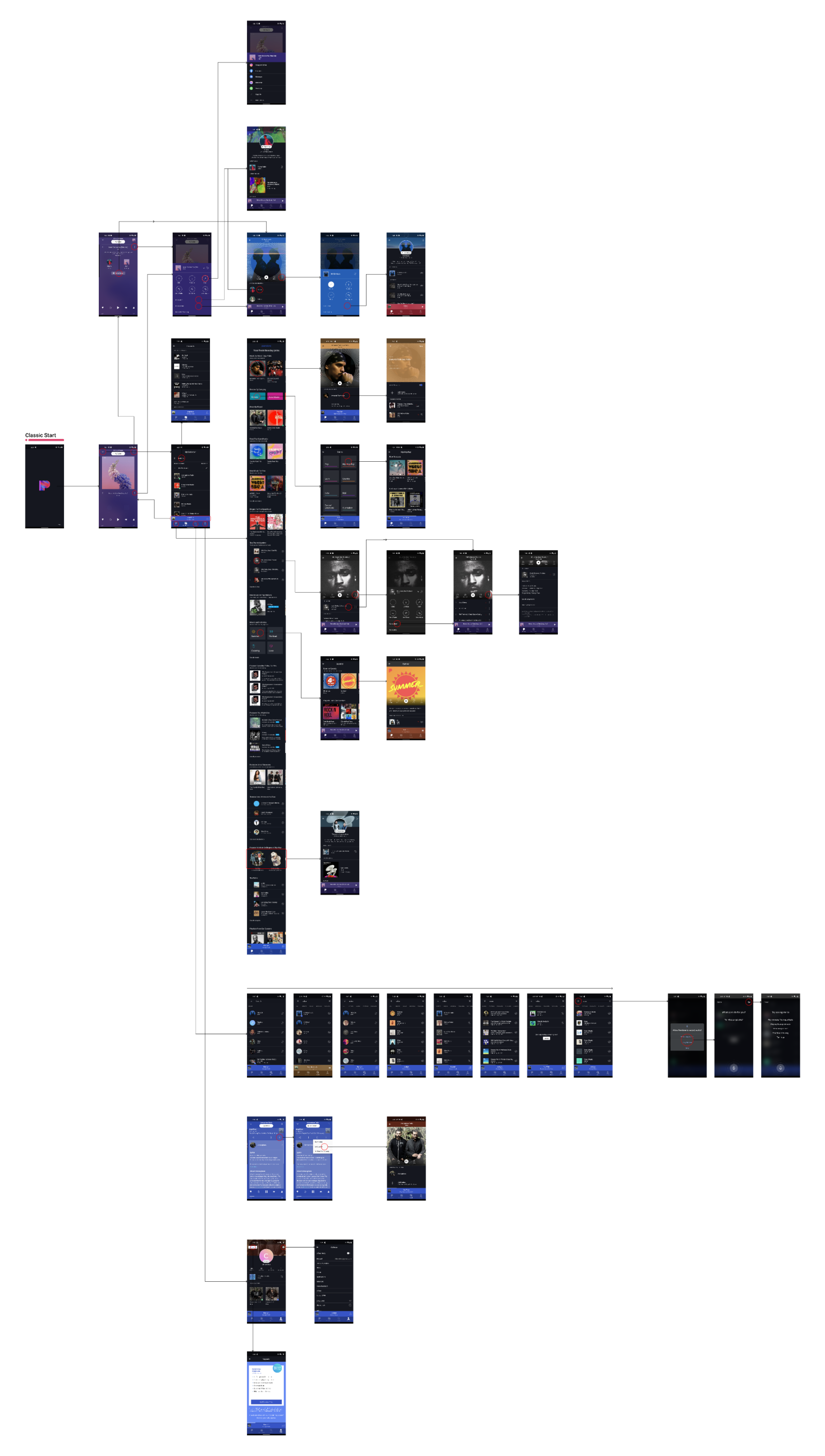
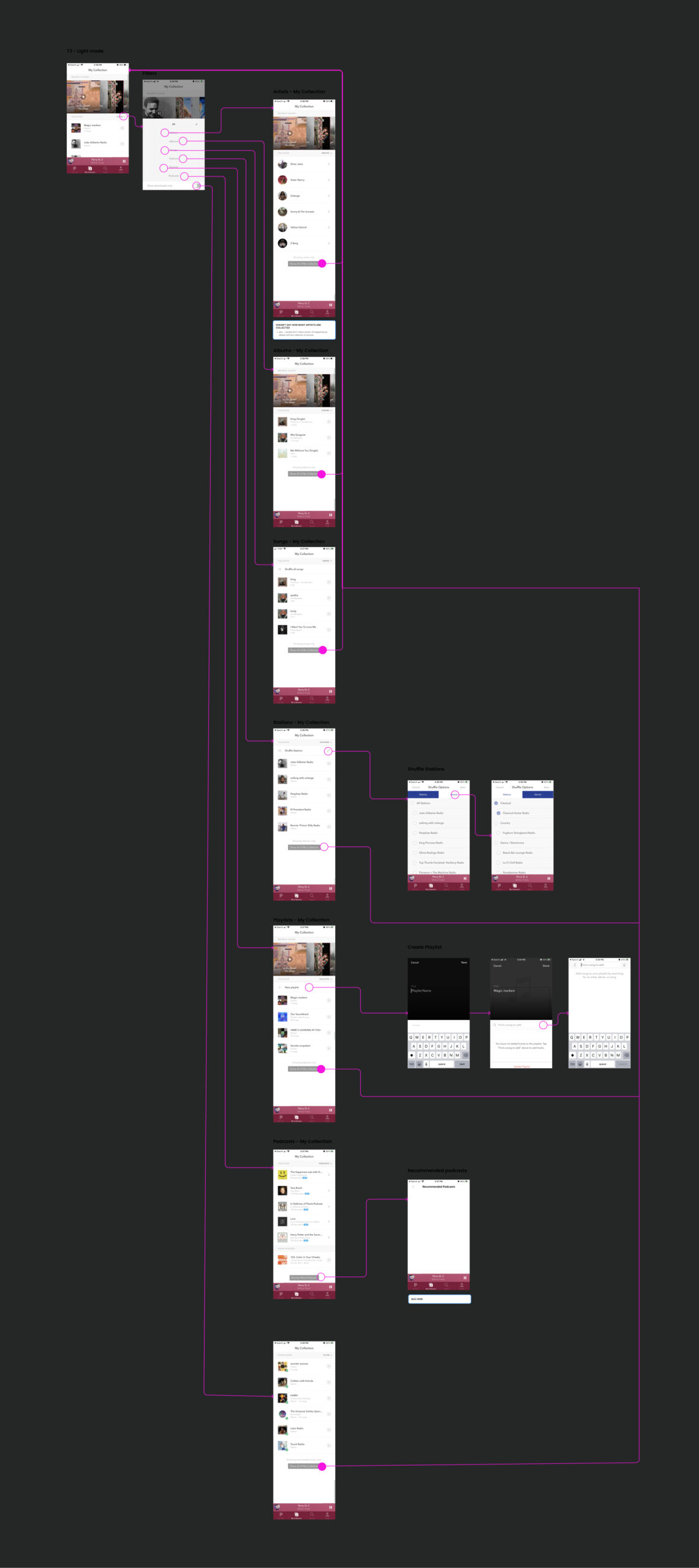
Wireframes
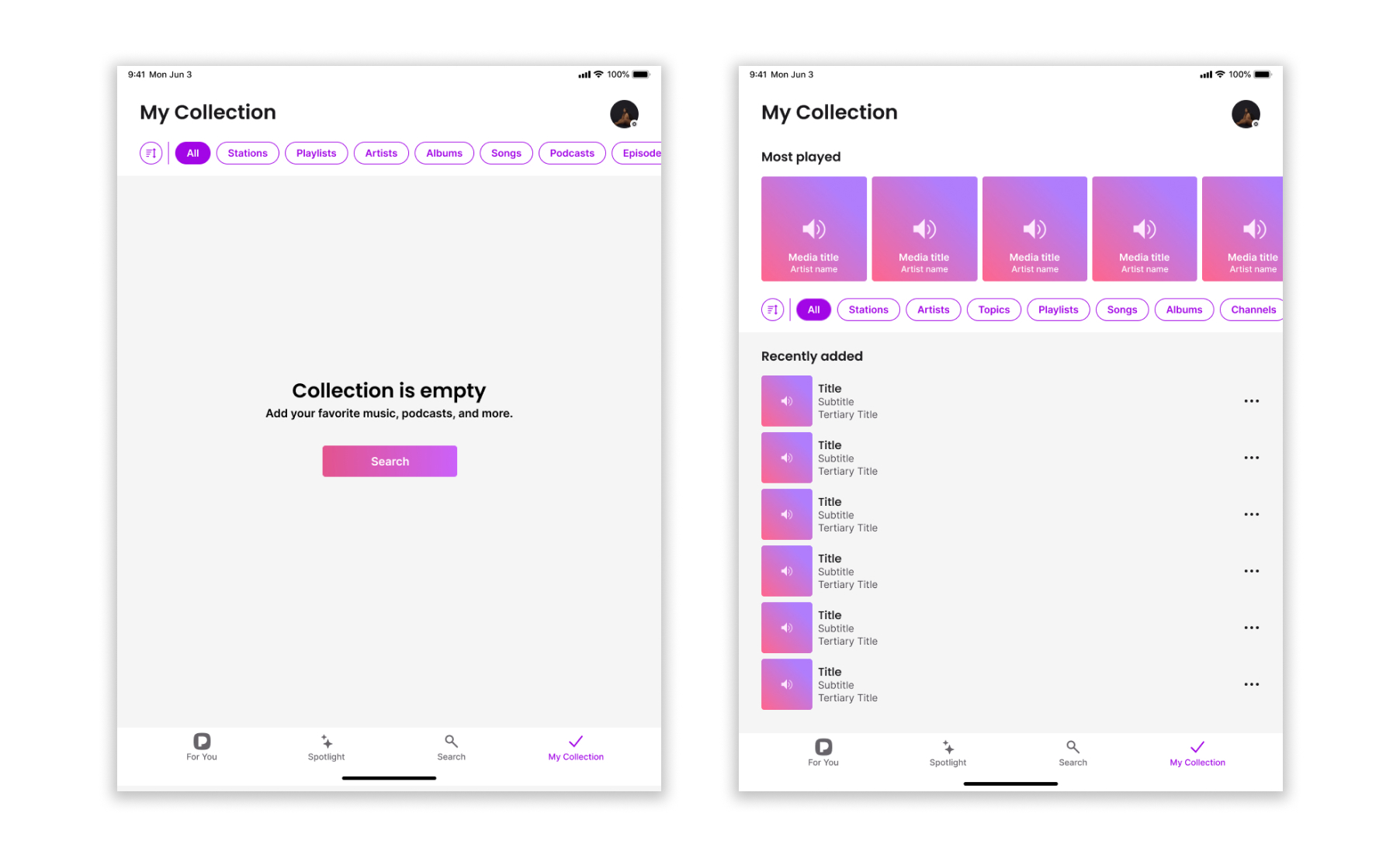
Once I had a clearer understanding of user needs, app structure, and team goals, I jumped into wireframing to begin shaping the experience of the redesigned My Collection.
These early wireframes allowed me to:
- Rapidly test layout ideas and content hierarchies.
- Explore different ways to elevate saved content, stations, and podcasts.
- Evaluate visual density and how much content we could meaningfully present without overwhelming users.
I treated wireframes as a collaborative thinking tool — sharing them frequently with PMs, engineers, and other designers to pressure-test assumptions and get early feedback. While I iterated through many variations, these explorations helped us answer key questions like:
- Should we surface more content upfront or keep it focused and lightweight?
- How can we reduce friction without creating an unfamiliar or jarring experience?
- What filtering or sorting patterns make the most sense for long-time Pandora users?
We also used the wireframes in early user testing sessions, where even low-fidelity visuals proved valuable for identifying layout confusion and validating navigation expectations.
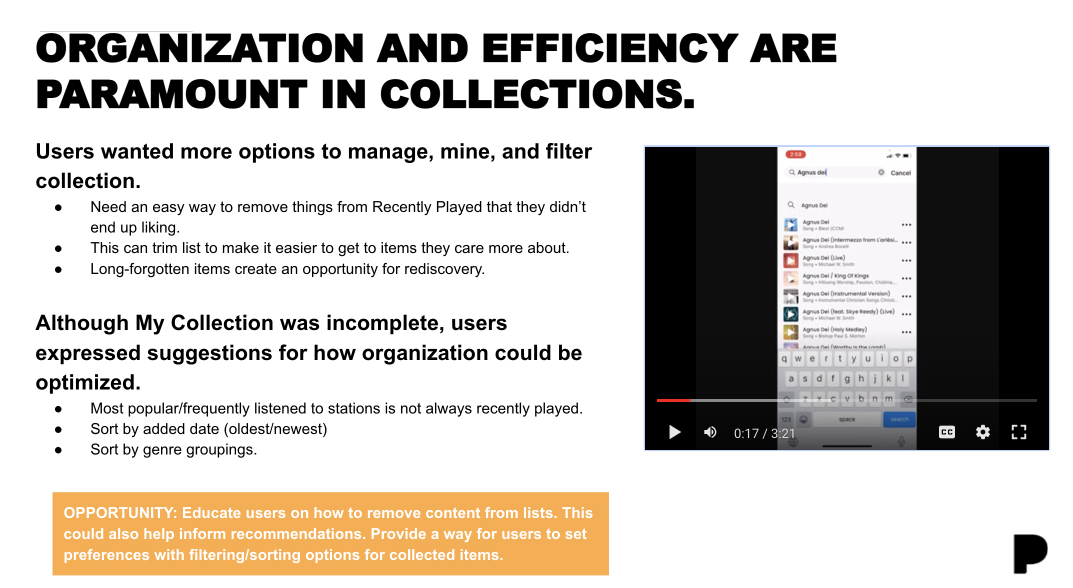
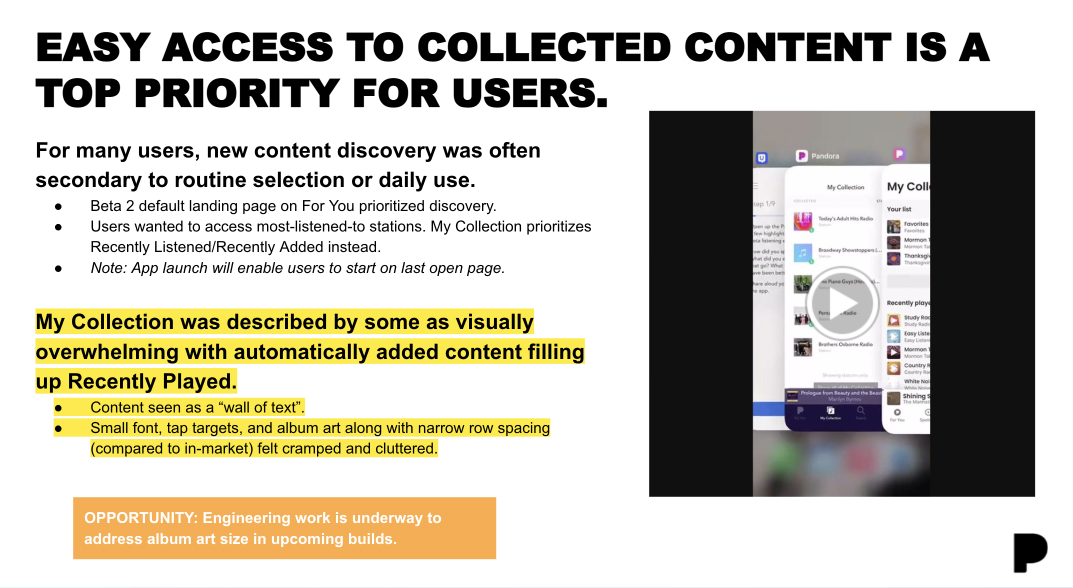
Although ‘My collection’ was incomplete users expressed suggestions for how organization could be optimized
Sample wireframes from the beta testing
Testing & Validation
To validate our redesign efforts, I created interactive Figma prototypes that we used for both internal and external testing. Feedback was gathered through moderated sessions and a closed live beta along with A/B testing conducted with live users. Insights shared in weekly decks presented to the broader team and leadership along with check ins each morning with my cross-functional team.
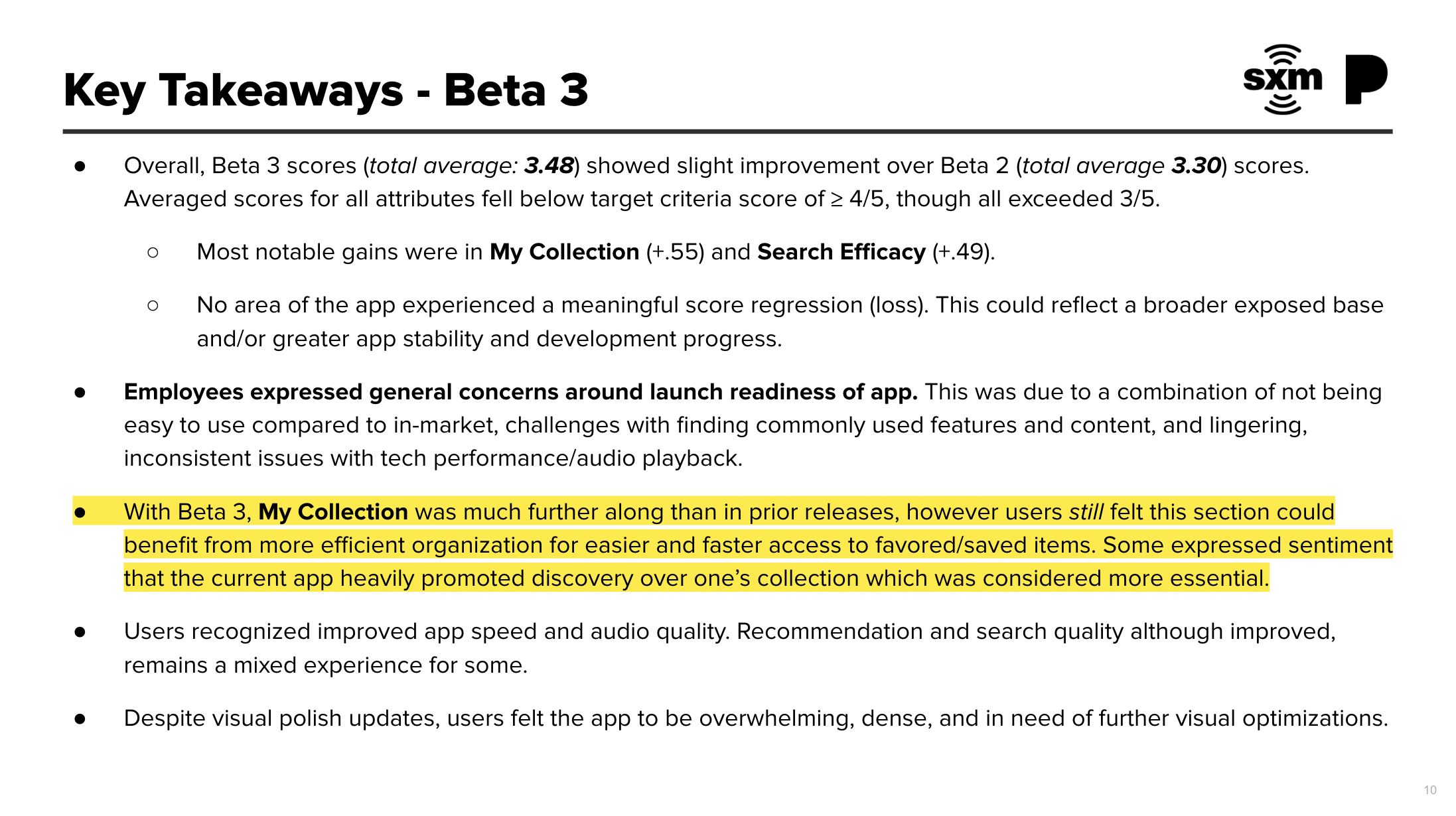
Each testing round led to meaningful iterations — from restructuring hierarchy and improving typography to adding intuitive management tools. With each beta release, scores steadily improved:
What We Were Testing:
I designed a multi-phase testing process that addressed both usability and user expectations. Key questions included:
- Can users easily access and manage their saved content?
- Do they understand how to navigate and filter their collection?
- Does the new structure align with their mental model of a “library” experience?
- What visual hierarchy best supports ease of use and feature discoverability?
Key Insights:
- Discovery vs. Familiarity: Users preferred immediate access to their saved stations over new discovery in the “My Collection” section. A/B testing confirmed that designs focused on familiar content performed significantly better than those optimized for new content discovery.
- Organization & Filtering: Many users wanted more control over their collection — requesting features like sorting by genre, oldest/newest, or most played. They also needed clearer ways to remove outdated or forgotten content.
- Visual Density: The original V1 design was described as a “wall of text” with small fonts and tight spacing. Users found it visually overwhelming and difficult to parse. This needed to be addressed to support future features like filters and management tools.
- Hierarchy & Ease of Use: Users often returned to a few favorite stations repeatedly. Surfacing those and making the rest of their collection easily searchable was more valuable than focusing on chronological order or most recent plays.
Gradually the scores increased with each round, beginning with below a 3 before I started and raising to the mid 3.5 range before finally landing on a design that performed very well, landing at a 4.8 in ongoing beta testing with live users. This final score confirmed that the redesign had met user needs and was ready for launch.
High-Fidelity Designs & Final Delivery
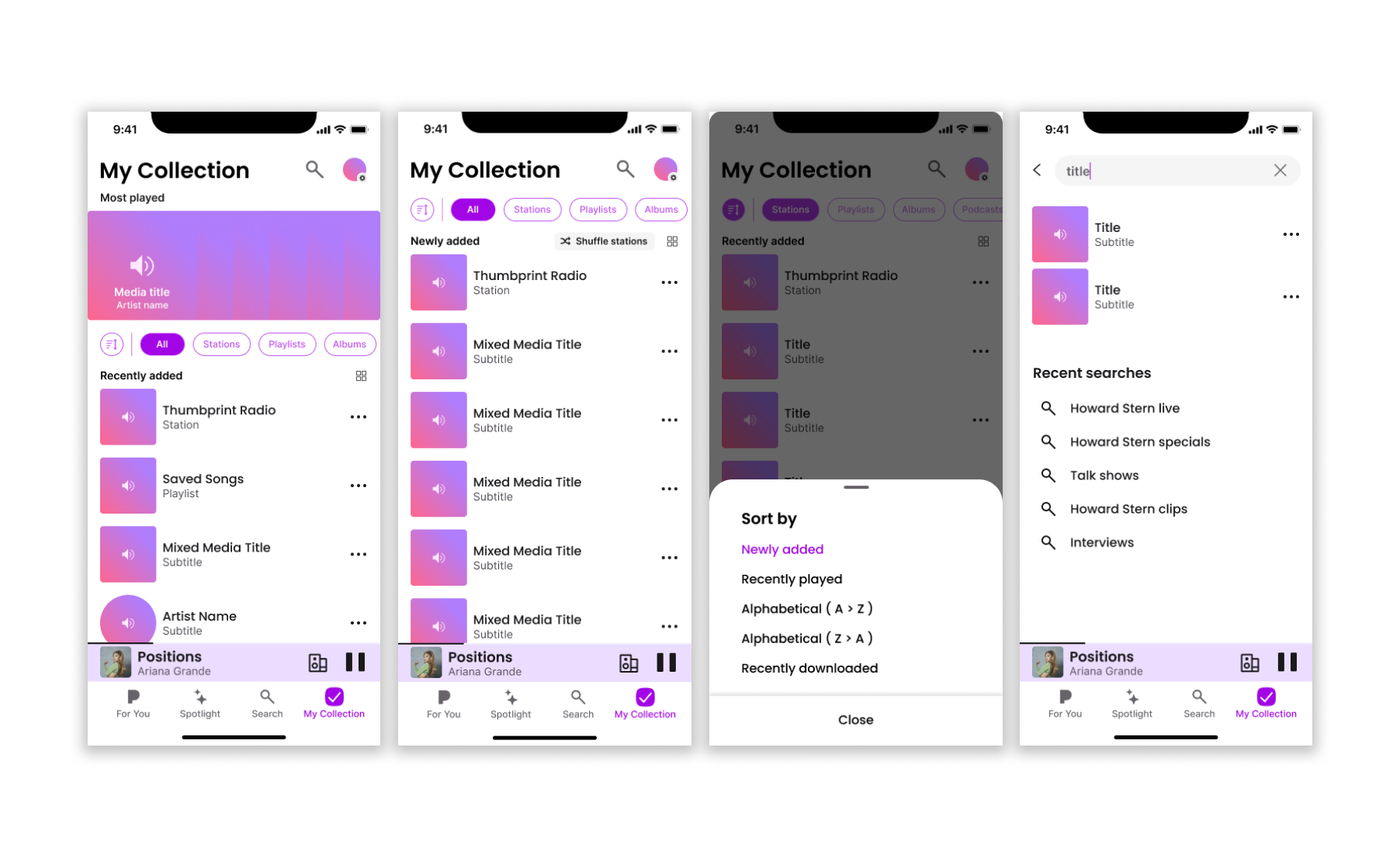
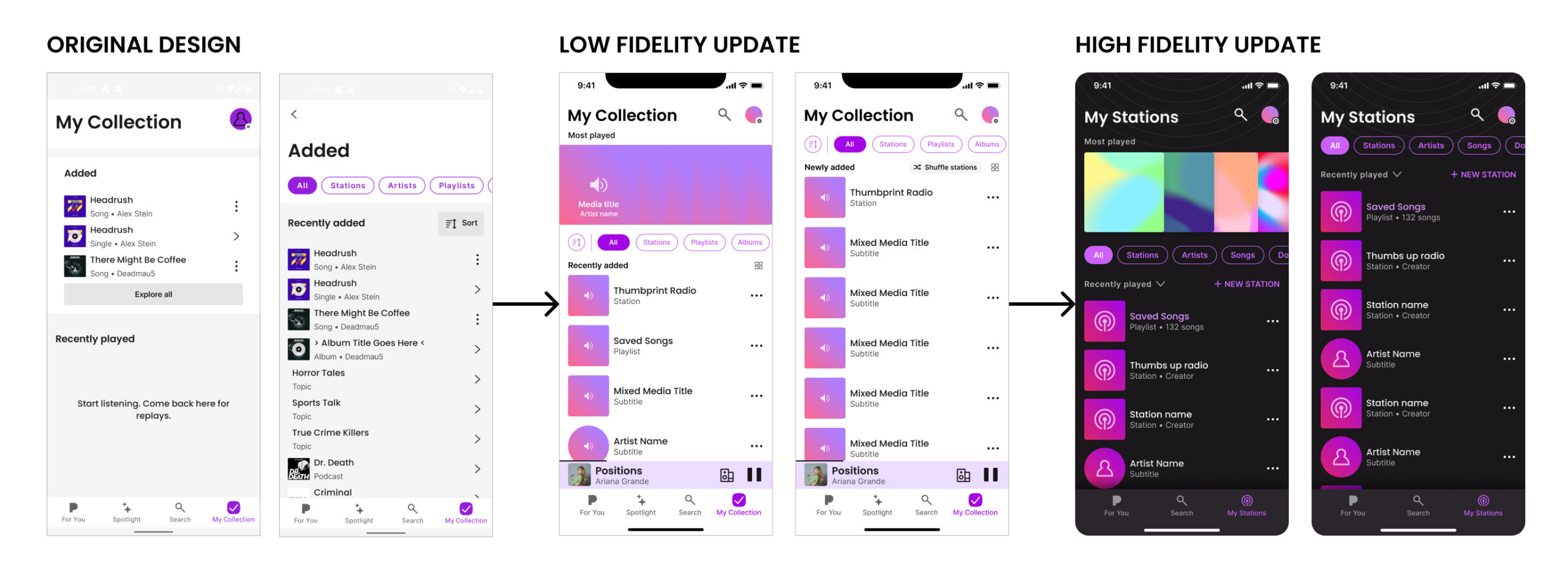
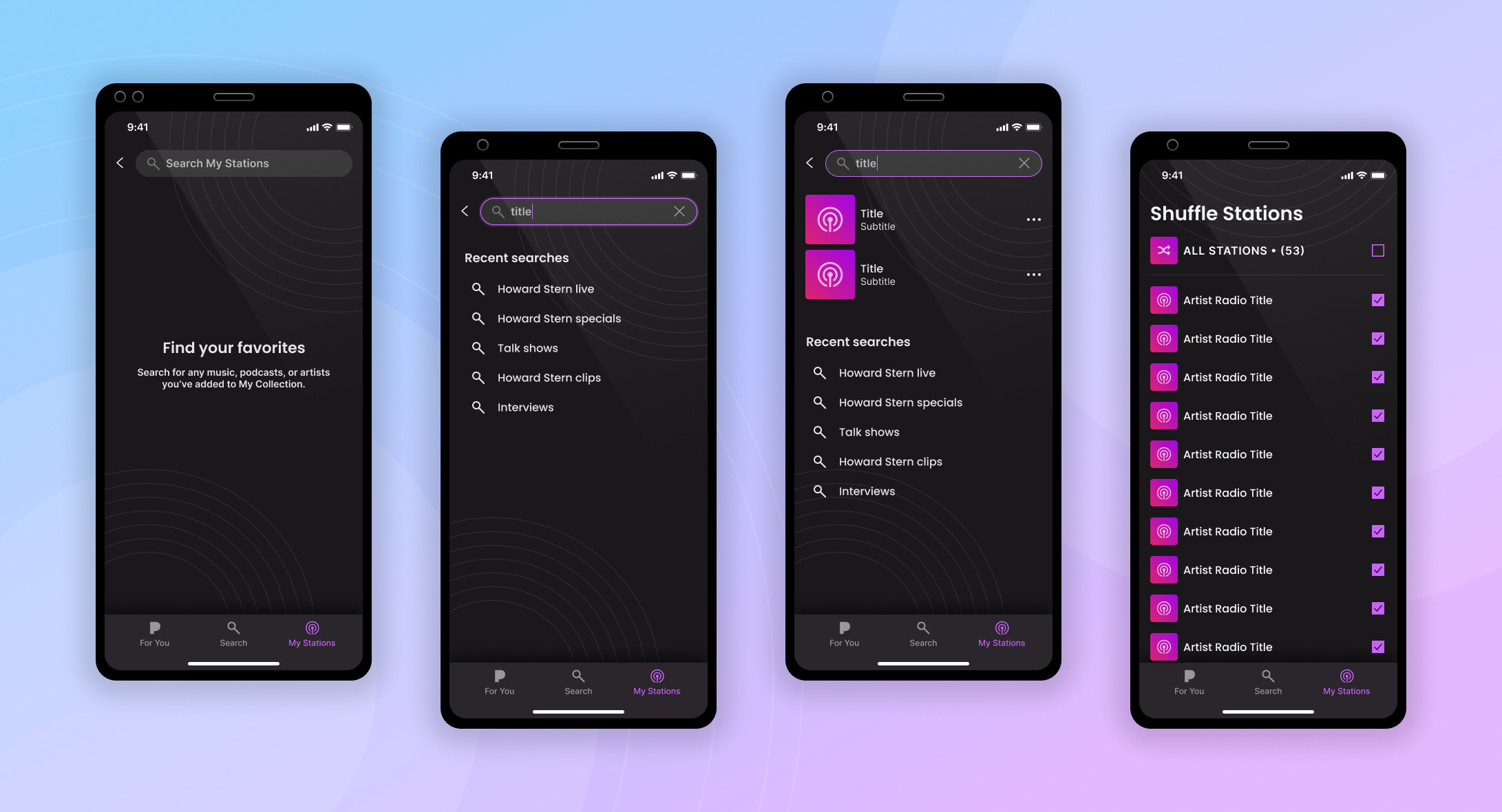
With clear validation from our testing rounds, I moved confidently into high-fidelity design and prototyping. These designs incorporated everything we’d learned: improved hierarchy, streamlined navigation, intuitive filtering, and a refreshed visual language tailored to both iOS and Android.
What Changed:
- Reimagined the layout to reduce cognitive load and allow for better visual scannability.
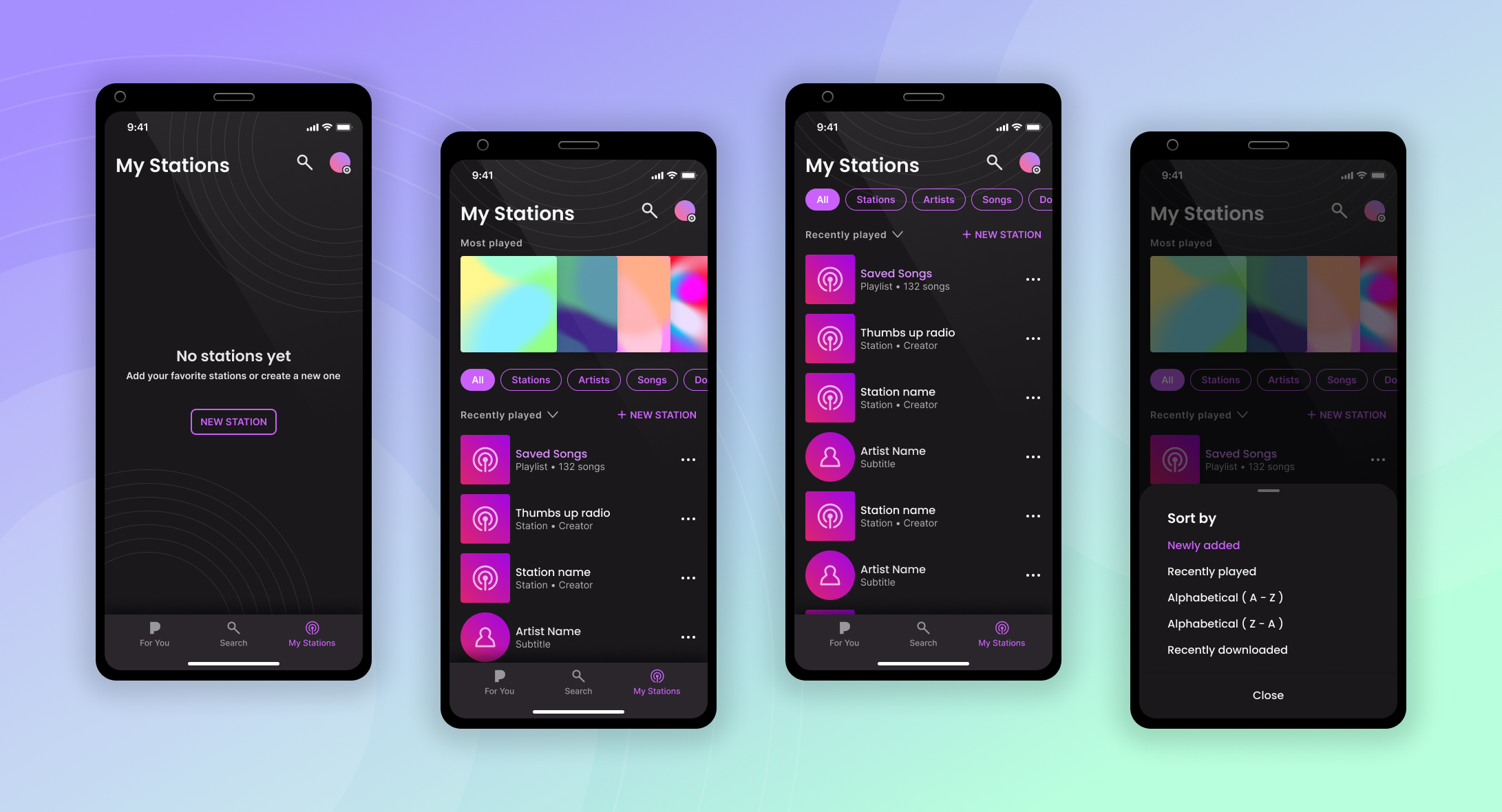
- Introduced smart sorting tools and filters for easier content management.
- Designed a clean and modern interface that aligned with Pandora’s evolving design language while respecting the legacy of the app.
- Improved the experience for both free and premium users, balancing personalization and discoverability.
Delivery & Handoff:
This phase brought the entire vision to life — blending clean, functional design with real user needs. Once Beta 4 hit the 4.8 benchmark, we knew we had built something our users loved.
- All high-fidelity screens were delivered via Figma with componentized elements for easier developer handoff.
- I documented interaction patterns and logic flows in detail to support engineering implementation.
- Maintained alignment across the broader product design team, ensuring the Collection experience complemented other parts of the app.
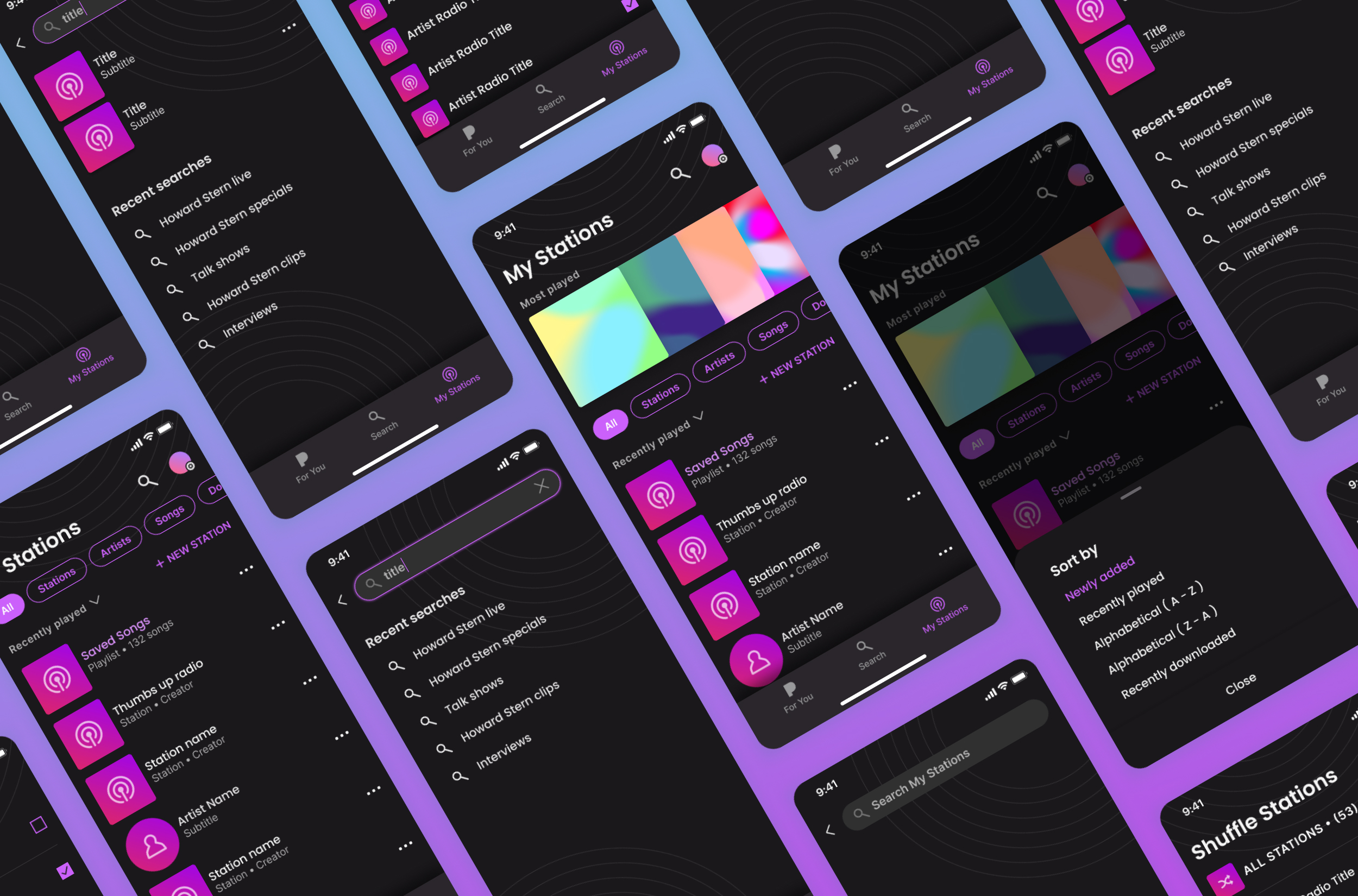
Sample screens from the high fidelity designs
Outcomes & Next Steps
The redesigned My Collection experience launched with overwhelmingly positive feedback. The final beta (Beta 4) scored a 4.8/5 with test users — a dramatic improvement over the original 2.5–3 range — and confirmed that the new experience was ready for release.
Measured Improvements:
- Task success rates and user satisfaction increased significantly with each round of refinement.
- Content findability and ease of navigation were consistently called out as major improvements.
- Filtering and customization features empowered users to better manage their listening experience, resulting in increased engagement.
The redesign ultimately helped reframe the role of the Collection within Pandora: no longer an overlooked corner of the app, it became a central part of the daily listening experience. The improved structure also laid a foundation for future growth — including the discovery and playback of podcasts, which had previously been buried and underutilized.
Following the public rollout, the updated design helped Pandora stay competitive in a rapidly evolving landscape, increasing user retention and closing gaps that had been driving churn toward other platforms.
This project reinforced my belief in iterative, research-driven design and cross-functional alignment. It’s a case study in how clear UX thinking, consistent testing, and attention to user behavior can transform a product area from friction to flow.